Gamedev basics - libgdx - draw a rectangle » History » Revision 2
« Previous |
Revision 2/3
(diff)
| Next »
konstantin, 2025-01-03 21:27
- Table of contents
- Gamedev basics - libgdx - draw a rectangle
Gamedev basics - libgdx - draw a rectangle
This is a simple guide that allows to to draw a single rectangle on the screen.
Drawing rectangle is as simple as
renderer.rect(100f, 100f, 20f, 20f)
Programming games and animations could be started without IT or programming skills. These skills will be developed along the journey.
Here is step-by-step guide, how to start with game programming.
Guide is separated in 3 main sections:
- Preparation: software and tools.
- Running and troubleshooting.
- Experiments.
Preparation: software and tools
Install
- git
- java 21
- intellij community edition
In idea, download the project from github
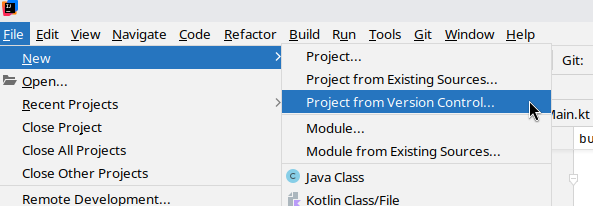
URL: https://github.com/petrukhnov/libgdx-kotlearn
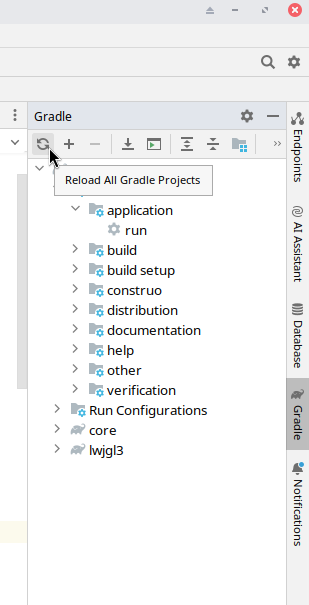
Agree to import it as gradle project. If it doesn't import, refresh manually:
Running and troubleshooting
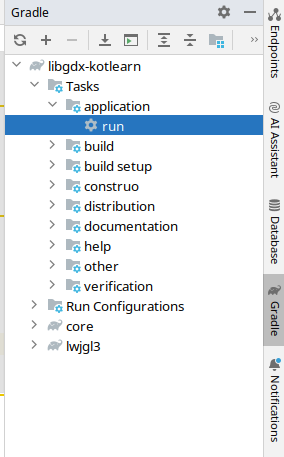
Run the project
It should open new window with green background and white rectangle:
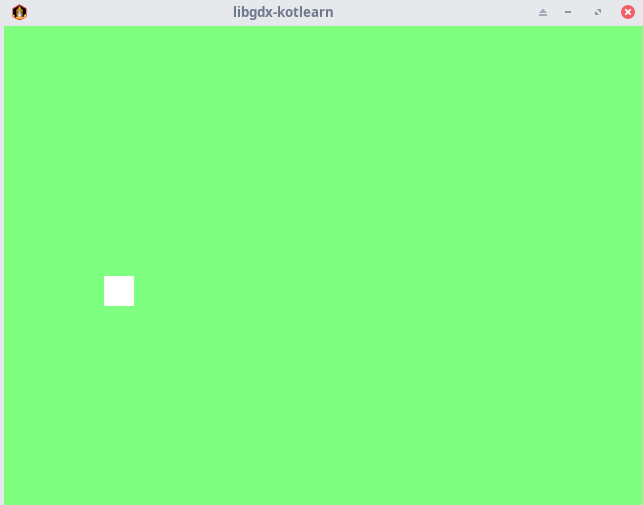
If it is not shown, see steps below to troubleshoot.
If doesn't work
Java version is not found
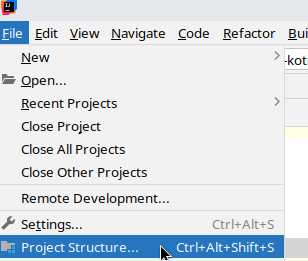
Select jdk 21, or download if missing.
manually select it:
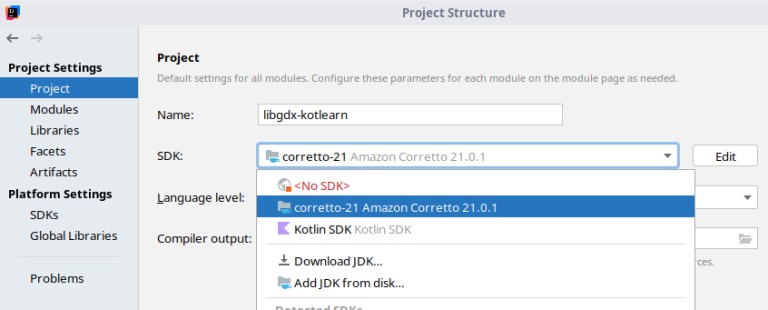
Experiments
Here are few things to try.
Change one of the values inside rect() function
Main:29
shapeRenderer.rect(100f, 200f, 30f, 30f)
Rerun and observe how shape changed.
Change rectangle color
E.g. add on line 28 shapeRenderer.color = Color(1f, 0f, 0f, 1f)
Change background color
Updated by konstantin 11 months ago · 3 revisions